

Messaging
Messaging lets you exchange private messages with other Nostr users without leaving Porwr. Messages are end-to-end encrypted and signed by your active key inside the extension.
What Messaging is for
Use Messaging to:
- send and receive private messages with your contacts
- find a contact by name, NIP-05 identifier, or npub and start a conversation
- see which conversations have unread messages
- review message requests from people outside your contacts
- message the Diogel support team.
How private messages work
Porwr uses NIP-17 private direct messages.
- The message content is encrypted with NIP-44 so only you and the recipient can read it.
- Each message is sealed and gift-wrapped, so relays cannot see who sent it, who it is for, or what it says.
- Messages are delivered to the recipient's Direct Message Relays (a kind
10050relay list), and replies come back to yours.
Relays can still see that an encrypted event arrived for a public key. They cannot read it.
Before you start: Direct Message Relays
Nobody can send you a private message until you have published Direct Message Relays.
If you have none, Messaging shows a notice with a Set up relays button that opens Relay Management. See Direct Message Relays for how to choose them.
Other people need Direct Message Relays too. If a contact has not published any, Porwr tells you they cannot receive private messages yet.
Conversations
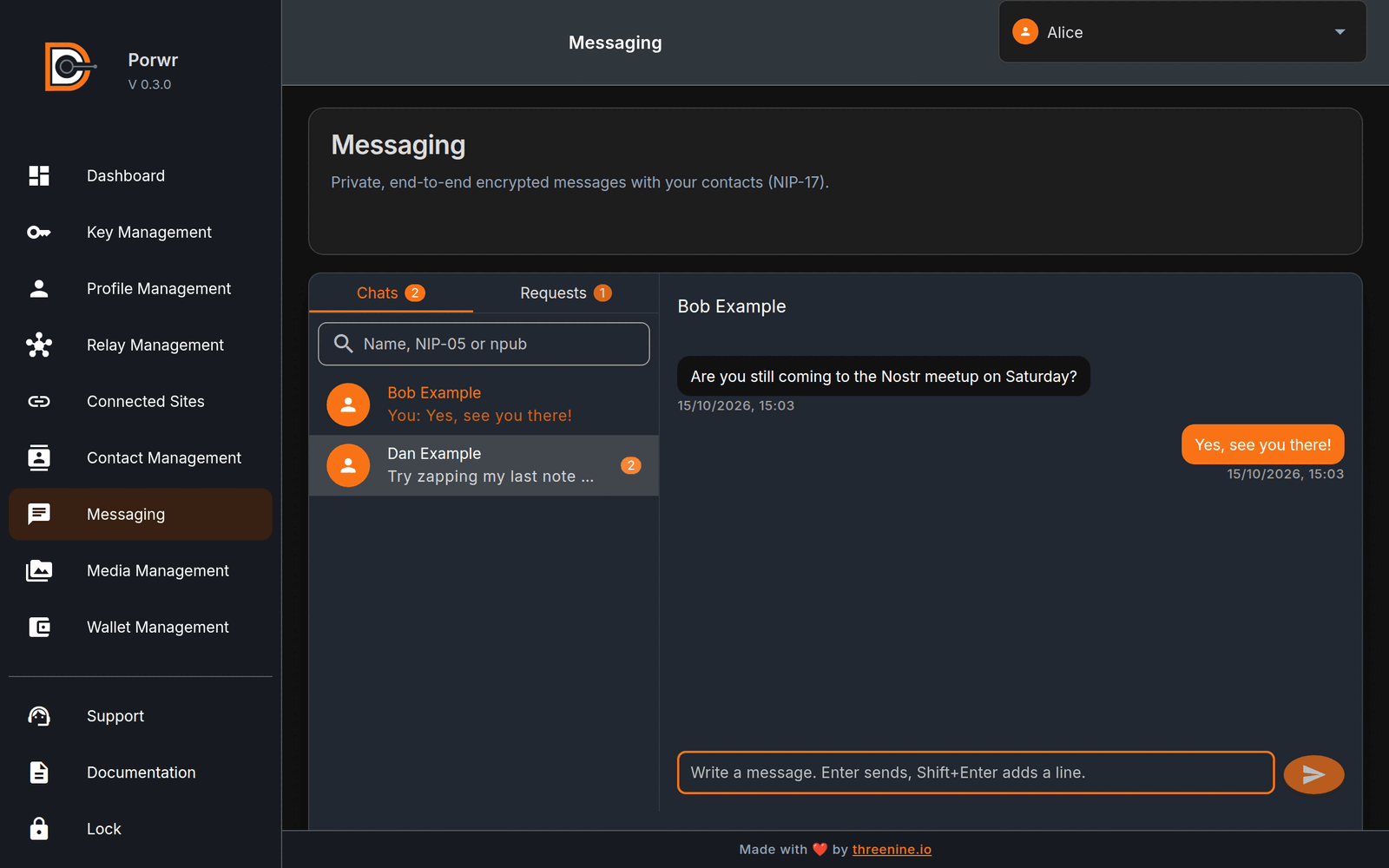
The Conversations list has two tabs.
Chats
Chats lists the people you are talking to. Each entry shows the latest message, and a badge shows how many unread messages are waiting.
Choose a conversation to open it. To take someone off the list, use the remove button beside their name. This only removes the conversation from Chats; it does not delete messages from relays.
Requests
Requests lists people outside your contacts who have written to you. Reply to someone to move them to Chats.
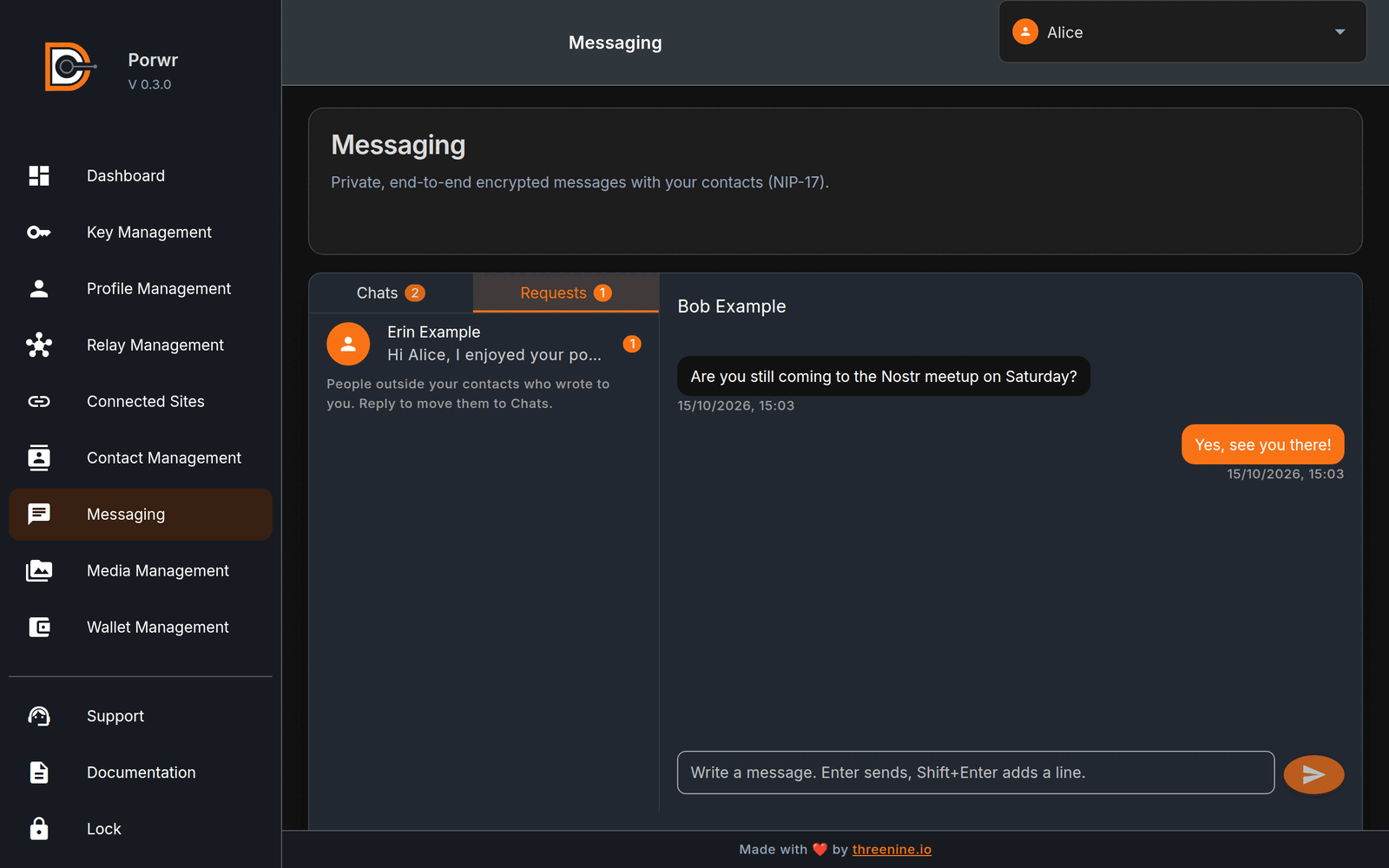
Starting a conversation
- Open Messaging.
- In Search contacts, type a name, NIP-05 identifier, or npub.
- Select the contact and choose Message.
- Write your message and press Enter to send. Shift+Enter adds a new line.
If a message cannot be sent, it is marked Not sent. and you can Retry it.
Contacts
Messaging uses your contacts, the people you follow in your NIP-02 follow list.
Porwr loads your contacts and their profiles in the background and keeps them in a local cache. This happens when the extension starts and when you switch account, so Messaging and Contact Management open quickly instead of waiting for every profile to load from relays.
Contact Management
Use Contact Management to browse and edit the active account's follow list.
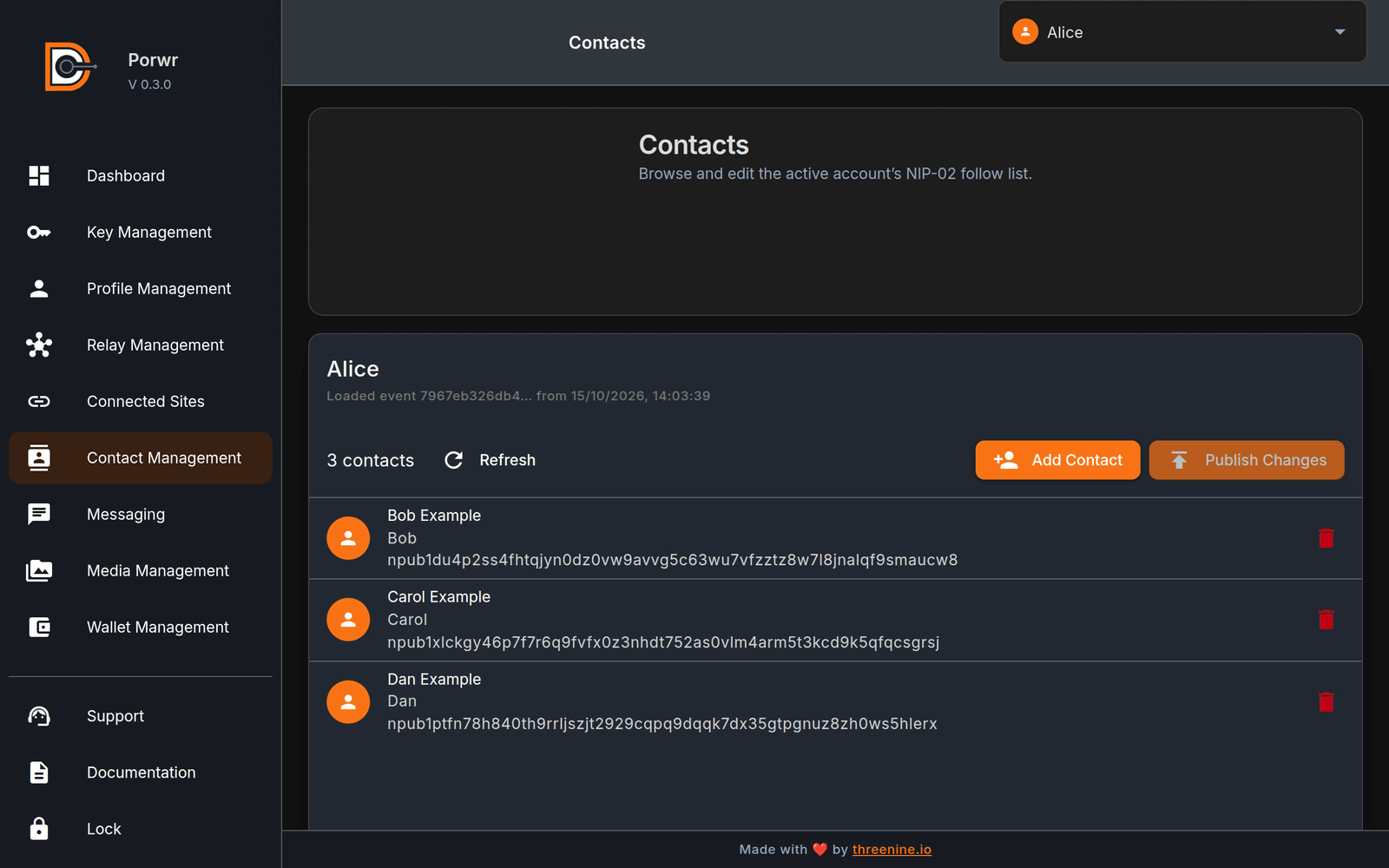
- Add Contact searches by profile name, npub, hex public key, or NIP-05 identifier.
- Edit contact changes a contact's petname or relay URL.
- Remove contact takes a contact off the list.
- Publish Changes signs and publishes the updated follow list.
Publishing replaces the active account's whole NIP-02 follow list with the contacts shown, so check the list before you publish.
Profile searches use your Profile Search Relays, which you can change in Relay Management.
Support
The Support menu opens a private chat with the Diogel support team inside Porwr. It used to open the GitHub issues page.
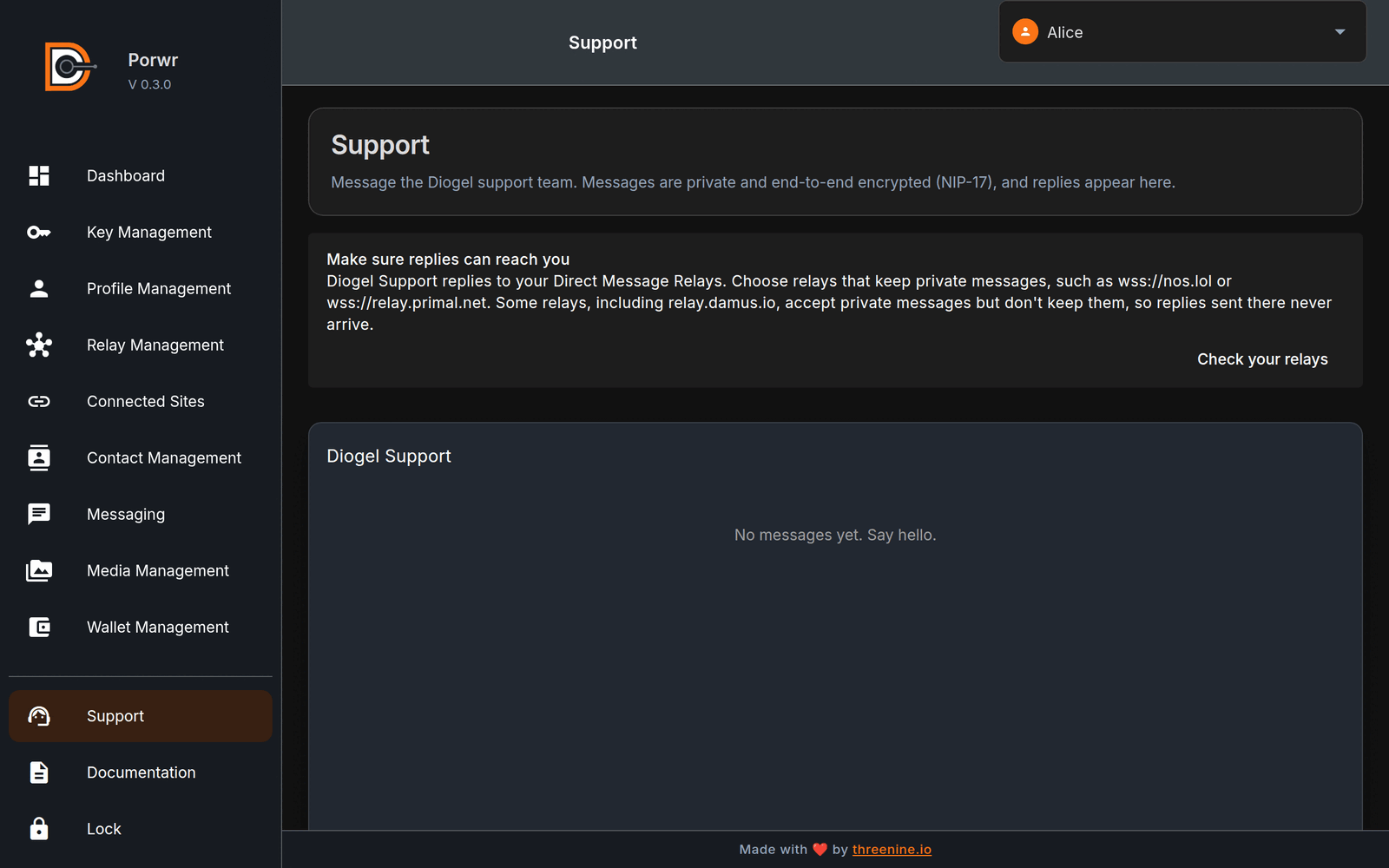
Support messages are NIP-17 private messages, like any other conversation. Your sent messages and the team's replies stay in the Support chat.
Diogel Support replies to your Direct Message Relays. Choose relays that keep private messages, such as
wss://nos.lol or wss://relay.primal.net. Some relays accept private messages but do not keep them, so
replies sent there never arrive.
Never send your private key, vault password, or NWC connection string to support, or to anyone else.
Privacy notes
- Message content is encrypted end to end. Porwr never sends your messages to a Diogel server.
- Gift wrapping hides the sender, recipient, and timing of each message from relays.
- Your contact list is public Nostr data. Your conversations are not.
- The contact and profile cache is stored locally in the extension.
Common issues
Nobody can message me
You have no Direct Message Relays, or the relays you chose do not keep private messages. Open Relay Management and check Direct Message Relays.
A contact cannot receive messages
The contact has not published Direct Message Relays. They need to set them up in their own Nostr client.
Could not check for new messages
Your relays did not respond. Porwr tries again shortly.
Contacts take a while to appear
The first load fetches your follow list and profiles from relays. Later visits use the cache.
Best practices
- Publish 1 to 3 Direct Message Relays that keep private messages.
- Check the active account before sending. Messages are signed by the active key.
- Reply to a request only if you want that person in your Chats.
- Never share secrets in a message, even an encrypted one.