

Your vault
What the vault is
The vault is where Symudol keeps your Nostr identities on the phone. It is protected by a 6-digit PIN.
Your PIN is local to this phone. It is not an online account, and nobody can reset it for you.
Create your PIN
The first time you open Symudol, you see the Local Access PIN card: "Create a local access PIN for Symudol."
- Under Create a security PIN, enter 6 digits on the keypad.
- Under Confirm your PIN, enter the same 6 digits again.
- Symudol creates the vault and opens the Accounts screen.
If the two PINs differ, you see "PINs do not match. Try again." and start over.
The PIN must be exactly 6 digits. Use the backspace key to correct a digit.
Next, add an identity. See Accounts and profile.
Unlock the vault
When the vault is locked, Symudol shows Unlock Vault and "Enter security PIN to continue".
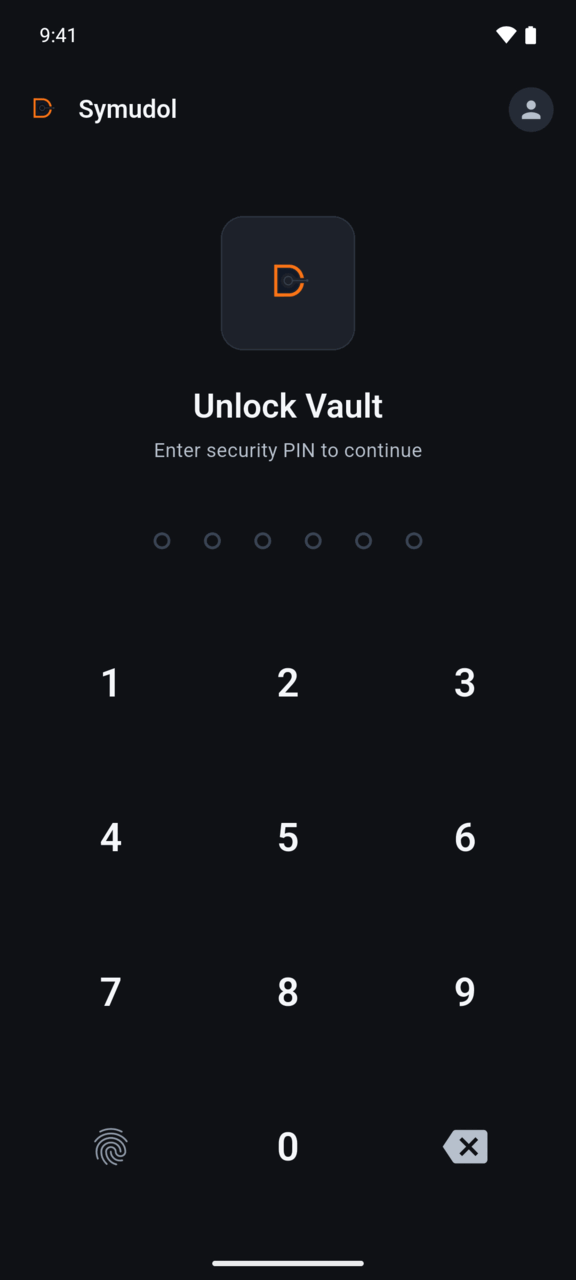
- Enter your 6-digit PIN.
- Symudol unlocks as soon as the sixth digit is entered. You can also tap Unlock Vault.
If the PIN is wrong, you see "Invalid PIN. Please try again."
Too many wrong PINs
Symudol slows down repeated guesses:
- After 5 wrong PINs, you must wait 30 seconds.
- After 10 wrong PINs, you must wait 5 minutes.
While you wait, you see "Too many failed attempts. Please wait and try again." Symudol never wipes the vault because of wrong PINs.
Session expired
If the vault locked itself because you were inactive, the screen title is Session Expired with "Your session has timed out due to inactivity". Enter your PIN to continue.
A request is waiting
If another app sends a request while the vault is locked, the unlock screen shows:
An external Android app is waiting for a NIP-55 signing decision. Unlock to review it, or cancel the request.
- Unlock to see the request on the Requests tab.
- Tap Cancel external request to refuse it.
If you do neither, the request is cancelled after 5 minutes.
How your keys are protected
- Your PIN is never stored. Symudol turns it into an encryption key with Argon2id, a deliberately slow function that makes guessing PINs expensive.
- That key unlocks a random vault key.
- Each private key is encrypted with the vault key using AES-256-GCM.
- The encrypted data is kept in Android's secure storage on the phone.
- Symudol never uploads or syncs your keys.
When the vault locks, Symudol clears the vault key from memory. Nothing can be signed, encrypted or decrypted until you unlock again.
When the vault locks
The vault locks:
- When you tap Lock Vault in Settings.
- After a period without use while the app is open. The default is 5 minutes.
- After the app has been in the background for a while. The default is 5 minutes.
You can change both times in Settings.
Symudol does not lock for being in the background while it is in the middle of a request from another app. This stops the vault locking halfway through an approval.
Not available yet
These appear in the app but do nothing in the current development version:
- Forgot PIN? on the unlock screen.
- The fingerprint key on the unlock keypad.
- Change PIN, Biometric Unlock, Backup Vault and Wipe Vault in Settings.
There is no way to recover a forgotten PIN. Keep your own backup of any key you import.